Showing posts with label Technology News. Show all posts

Monday, February 12, 2007

Per Minute Salary

*All figures based on media reports*

Indra Nooyi
What: New Pepsi Chief
How much: Rs 2,911 per minute (from October 11)
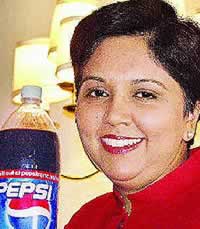
Chennai-born 50-year-old Indra Nooyi was the Chief Financial Officer (CFO) of PepsiCo, the US-based soft drink major. In that capacity, her remuneration stood at $5 million (over Rs 23 crore). With her promotion this year, Nooyi becomes one of the highest paid CEOs in the world, with an announced remuneration of $33 million (approximately Rs 153 crores). This means Nooyi makes a whopping Rs 2,911 per minute.

Sachin Tendulkar

What: Cricketer
How much: Rs 1,163 per minute

India's most loved sportsman makes a lot more than most CEOs of Indian companies; going by his annual remuneration for 2004-2005. Breaking it down, his three-year contract for endorsements is worth Rs 180 crores. He is also paid Rs 2,35,000 for a five-day test match and Rs 2,50,000 for one dayers. A little bit of elementary math: This highest paid cricketer in the world makes around Rs 61.15 crore a year, or Rs 1,163 per minute.

Mukesh Ambani

What: CMD of Reliance Industries Ltd
How much: Rs 413 per minute

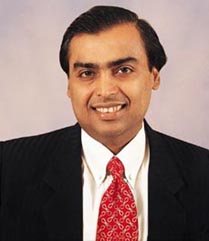
Head honcho of the $16.5 billion Reliance Industries Limited, Mukesh Ambani was ranked the world's 56th richest man in Forbe's list. But since this is only about salaries (and the like), we'll completely ignore his other earnings. Last year, Mr Ambani earned Rs 21.72 crore; a neat growth of 87 per cent over his previous year's earnings. He makes not less than Rs 413 per minute.

Amitabh Bachchan
What: Actor
How much: Rs 361 per minute
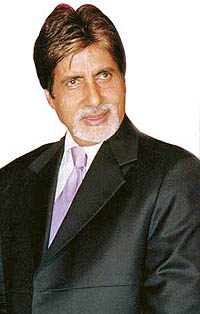
Kaun Banega Crorepati? Apparently, Mr Bachchan! With more endorsements and
film releases per year than successful actors half his age, Bachchan's take-home last year was around Rs 19 crore - that's Rs 361 per minute.

Brij Mohan Lall Munjal
What: Chief of Hero Group
How much: Rs 255 per minute
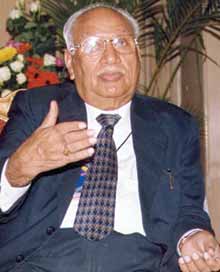
The patriarch of the Hero Group received the Life-time achievement award for 'Excellence in Corporate Governance' by the Institute of Company Secretary of India this year. Brij Mohan Lall Munjal earned about Rs 13.4 crore last year. He continues to be the world's largest motorcycle manufacturer and fuels his bank balance with Rs 255 per minute.

Shah Rukh Khan
What: Actor
How much: Rs 247 per minute

Shahrukh Khan, who started off modestly as a 'Fauji', made about Rs 13 crore last year. This included his endorsement deals for Pepsi, Hyundai Santro - and of course, wetting himself in a bathtub, surrounded by women for HLL's Lux. How much per minute?

Dr A P J ABDUL Kalam
What: President of India
How much: Rs 1.14 per minute
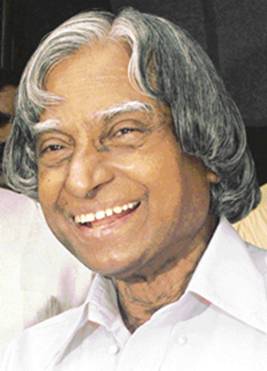
Before taking on the reins of this country, Dr A P J Kalam played a leading role in the development of India's missile and nuclear weapons programmes - so much so - that he's fondly referred to as the 'Missile Man'. In the early 1990s, he served as scientific adviser to the government, and his prominent role in India 's 1998 nuclear weapons tests established Kalam as a national hero. For all his work in his present capacity as President of the world's largest de mocracy, Kalam draws an annual remuneration of Rs 6,00,000 or Rs 1.14 per minute.
Dr Manmohan Singh
What: Prime Minister of India
How much: Rs 0.57 per m inute
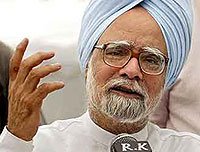
An economist by profession, Dr Singh has formerly served in the International Monetary Fund. His economics education included an undergraduate and a master's degree from Punjab University ; an undergraduate degree from Cambridge ; and a doctorate from Oxford University . One of the most educated Indian prime ministers in history, Singh also served as the finance minister under prime minister Narasimha Rao. In his present capacity, Singh is paid Rs 3,60,000 annually, i.e. Rs 0.57 per minute.

100 keyboard Shortcut

100 keyboard Shortcut

CTRL+C (Copy)
CTRL+X (Cut)
CTRL+V (Paste)
CTRL+Z (Undo)
DELETE (Delete)
SHIFT+DELETE
(Delete the selected item permanently without placing the item in the Recycle Bin)
CTRL while dragging an item (Copy the selected item)
CTRL+SHIFT
while dragging an item (Create a shortcut to the selected item)
F2 key
(Rename the selected item)
CTRL+RIGHT ARROW (Move the insertion point to the
beginning of the next word)
CTRL+LEFT ARROW (Move the insertion point to the
beginning of the previous word)
CTRL+DOWN ARROW (Move the insertion point to
the beginning of the next paragraph)
CTRL+UP ARROW (Move the insertion point
to the beginning of the previous paragraph)
CTRL+SHIFT with any of the arrow
keys (Highlight a block of text)
SHIFT with any of the arrow keys (Select
more than one item in a window or on the desktop, or select text in a document)

CTRL+A (Select all)
F3 key (Search for a file or a folder)
ALT+ENTER
(View the properties for the selected item)
ALT+F4 (Close the active item,
or quit the active program)
ALT+ENTER (Display the properties of the
selected object)
ALT+SPACEBAR (Open the shortcut menu for the active window)

CTRL+F4 (Close the active document in programs that enable you to have multiple documents open simultaneously)
ALT+TAB (Switch between the open
items)
ALT+ESC (Cycle through items in the order that they had been opened)

F6 key (Cycle through the screen elements in a window or on the desktop)

F4 key (Display the Address bar list in My Computer or Windows Explorer)

SHIFT+F10 (Display the shortcut menu for the selected item)
ALT+SPACEBAR
(Display the System menu for the active window)
CTRL+ESC (Display the Start menu)
ALT+Underlined letter in a menu name (Display the corresponding menu)

Underlined letter in a command name on an open menu (Perform the corresponding command)
F10 key (Activate the menu bar in the active program)

RIGHT ARROW (Open the next menu to the right, or open a submenu)
LEFT
ARROW (Open the next menu to the left, or close a submenu)
F5 key (Update
the active window)
BACKSPACE (View the folder one level up in My Computer or
Windows Explorer)
ESC (Cancel the current task)
SHIFT when you insert a
CD-ROM into the CD-ROM drive (Prevent the CD-ROM from automatically playing)

Dialog Box Keyboard Shortcuts
CTRL+TAB (Move forward through the tabs)

CTRL+SHIFT+TAB (Move backward through the tabs)
TAB (Move forward
through the options)
SHIFT+TAB (Move backward through the options)

ALT+Underlined letter (Perform the corresponding command or select the
corresponding option)
ENTER (Perform the command for the active option or button)
SPACEBAR (Select or clear the check box if the active option is a check box)
Arrow keys (Select a button if the active option is a group of option buttons)
F1 key (Display Help)
F4 key (Display the items in the active list)
BACKSPACE (Open a folder one level up if a folder is selected in the Save As or Open dialog box)
m*cro$oft Natural Keyboard Shortcuts

Windows Logo (Display or hide the Start menu)
Windows Logo+BREAK
(Display the System Properties dialog box)
Windows Logo+D (Display the
desktop)
Windows Logo+M (Minimize all of the windows)
Windows
Logo+SHIFT+M (Restore the minimized windows)
Windows Logo+E (Open My Computer)
Windows Logo+F (Search for a file or a folder)
CTRL+Windows
Logo+F (Search for computers)
Windows Logo+F1 (Display Windows Help)

Windows Logo+ L (Lock the keyboard)
Windows Logo+R (Open the Run dialog
box)
Windows Logo+U (Open Utility Manager)
Accessibility Keyboard Shortcuts
Right SHIFT for eight seconds (Switch FilterKeys either on or off)

Left ALT+left SHIFT+PRINT SCREEN (Switch High Contrast either on or off)

Left ALT+left SHIFT+NUM LOCK (Switch the MouseKeys either on or off)

SHIFT five times (Switch the StickyKeys either on or off)
NUM LOCK for
five seconds (Switch the ToggleKeys either on or off)
Windows Logo +U (Open
Utility Manager)
Windows Explorer Keyboard Shortcuts
END (Display the
bottom of the active window)
HOME (Display the top of the active window)

NUM LOCK+Asterisk sign (*) (Display all of the subfolders that are under the selected folder)
NUM LOCK+Plus sign (+) (Display the contents of the selected folder)
NUM LOCK+Minus sign (-) (Collapse the selected folder)

LEFT ARROW (Collapse the current selection if it is expanded, or select the parent folder)
RIGHT ARROW (Display the current selection if it is collapsed, or select the first subfolder)
Shortcut Keys for Character Map

After you double-click a character on the grid of characters, you can move
through the grid by using the keyboard shortcuts:
RIGHT ARROW (Move to the
right or to the beginning of the next line)
LEFT ARROW (Move to the left or
to the end of the previous line)
UP ARROW (Move up one row)
DOWN ARROW
(Move down one row)
PAGE UP (Move up one screen at a time)
PAGE DOWN
(Move down one screen at a time)
HOME (Move to the beginning of the line)

END (Move to the end of the line)
CTRL+HOME (Move to the first character)
CTRL+END (Move to the last character)
SPACEBAR (Switch between Enlarged and Normal mode when a character is selected)
m*cro$oft
Management Console (MMC) Main Window Keyboard Shortcuts
CTRL+O (Open a saved
console)
CTRL+N (Open a new console)
CTRL+S (Save the open console)

CTRL+M (Add or remove a console item)
CTRL+W (Open a new window)
F5
key (Update the content of all console windows)
ALT+SPACEBAR (Display the MMC window menu)
ALT+F4 (Close the console)
ALT+A (Display the Action menu)
ALT+V (Display the View menu)
ALT+F (Display the File menu)

ALT+O (Display the Favorites menu)
MMC Console Window Keyboard Shortcuts

CTRL+P (Print the current page or active pane)
ALT+Minus sign (-)
(Display the window menu for the active console window)
SHIFT+F10 (Display the Action shortcut menu for the selected item)
F1 key (Open the Help topic, if any, for the selected item)
F5 key (Update the content of all console windows)
CTRL+F10 (Maximize the active console window)
CTRL+F5 (Restore the active console window)
ALT+ENTER (Display the Properties dialog box, if any, for the selected item)
F2 key (Rename the selected item)
CTRL+F4
(Close the active console window. When a console has only one console window, this shortcut closes the console)
Remote Desktop Connection Navigation

CTRL+ALT+END (Open the m*cro$oft Windows NT Security dialog box)

ALT+PAGE UP (Switch between programs from left to right)
ALT+PAGE DOWN
(Switch between programs from right to left)
ALT+INSERT (Cycle through the programs in most recently used order)
ALT+HOME (Display the Start menu)

CTRL+ALT+BREAK (Switch the client computer between a window and a full screen)
ALT+DELETE (Display the Windows menu)
CTRL+ALT+Minus sign (-)
(Place a snapshot of the active window in the client on the Terminal server
clipboard and provide the same functionality as pressing PRINT SCREEN on a local
computer.)
CTRL+ALT+Plus sign (+) (Place a snapshot of the entire client window area on the Terminal server clipboard and provide the same functionality
as pressing ALT+PRINT SCREEN on a local computer.)
m*cro$oft Internet
Explorer Navigation
CTRL+B (Open the Organize Favorites dialog box)

CTRL+E (Open the Search bar)
CTRL+F (Start the Find utility)
CTRL+H
(Open the History bar)
CTRL+I (Open the Favorites bar)
CTRL+L (Open the Open dialog box)
CTRL+N (Start another instance of the browser with the same Web address)
CTRL+O (Open the Open dialog box, the same as CTRL+L)

CTRL+P (Open the Print dialog box)
CTRL+R (Update the current Web page)

CTRL+W (Close the current window)

Saturday, January 20, 2007

TOP 10 GADGETS OF THE YEAR 2006

TOP 10 GADGETS OF THE YEAR 2006
1
Xbox 360
2
Sony PS3
3
Sony Vaio UX
4
Blackberry Pearl
5
Microsoft Vista
6
MacBook Pro
7
iPod Shuffle
8
Yamaha Sound Projector
9
Samsung K 5
10
Sonodyne Avant Speakers

Friday, January 19, 2007

X - Box 360

Product Information
Xbox 360™ System

Manufacturer:
Microsoft

Xbox 360™ System

Category:
Console

Console:
Xbox 360

$399.99

Buy Now

Related Products
Xbox 360™ HD DVD Player

Xbox 360™ HD DVD Player
Check out the new HD DVD!

Xbox Live Vision

Xbox Live Vision
Seeing is Believing!

Xbox 360™ Wireless Controller

Xbox 360™ Wireless Controller
Experience wireless freedom with unmatched precision

Xbox 360™ Universal Remote

Xbox 360™ Universal Remote
Command your entire Xbox 360 experience

Xbox 360™ Wireless Adapter

Xbox 360™ Wireless Networking Adapter
Experience Xbox Live with no strings attached

Xbox 360™ Faceplate (Hotrod)

Xbox 360™ Faceplate (Hotrod)
Make Xbox 360 your own


Description

If you're a serious gamer looking for the ultimate console, the search ends here. Fully loaded, it's the unsurpassed gaming and entertainment experience right out of the box.

Screenshots
Features
Xbox 360™ System

  • Hardware, software, and services: Fusing powerful hardware, software, and services, Xbox 360 fully engages you in a gaming experience that is more expansive, dramatic, and lifelike, where the possibilities are limitless and your imagination knows no boundaries.
  • Industrial design: A merger of form and function, Xbox 360 wraps powerful technology in a sophisticated exterior.
  • Xbox Gamer Guide: The Xbox Gamer Guide is an entertainment gateway that instantly connects you to your games, friends, music, movies, and downloadable content.
  • Personalized interface: Xbox 360 lets you create your own unique system and experience.

  • Ring of Light and Xbox Guide Button: Featured on both the wireless and wired controllers, the Xbox Guide button puts you in control of your experience. In addition to bringing up the Xbox Gamer Guide and the Xbox System Guide, with the Xbox Guide button you can turn the system on and off without ever leaving the couch.
  • Xbox Live: Xbox Live is where games and entertainment come alive, the only unified place where you can play with anyone, anytime, anywhere. And the best just got better. Connect Xbox 360 to your broadband connection, attach a storage device (hard drive or memory unit), and get instant access to Xbox Live Silver. Express your digital identity through your gamertag and gamer card, talk with others using voice chat, and access Xbox Live Marketplace.
  • Xbox Live Marketplace: Keep your favorite games fresh with instant access to new content. Accessible to both Silver and Gold members, Xbox Live Marketplace lets you personalize and extend your experience on demand.
  • Games: Xbox 360 redefines what games look like, sound like, feel like, and play like to engage you like never before. Every Xbox 360 title supports 720p and 1080i high definition resolution or 480p standard definition resolution, in 16:9 widescreen, with anti-aliasing so you enjoy smooth, movie-like graphics and multi-channel surround sound. Vibrant characters display depth of emotion to evoke more dramatic responses, immersing you in the experience.
  • Digital entertainment: Amplify your music, photos, video, and TV. Watch progressive-scan DVD movies right out of the box. Rip music to the Xbox 360 Hard Drive and share your latest digital pictures with friends. Make the connection, and Xbox 360 instantly streams the digital media stored on your MP3 player, digital camera, Media Center PC, or any Microsoft® Windows® XP 2005 Edition-based PC.

Part Number B4J-00001

Laptop Comparison - High End

Lenovo ThinkPad R51


Features: IBM Think Pad is Lenovo Think Pad
It has 256Mb of Ram
It has a 60Gb hard disk
The display screen is a 15" LCD
Weight is 2.8 kg
It is wi-fi enabled, according to Intel 802.11bg
ThinkPad R51 is based around a 1.7GHz Pentium M


Acer TM2355


Features: Based on 1.4GHz Celeron M processor 360
It has a 14" display screen
256Mb RAM and a 40Gb HDD
A combo drive is standard on this laptop
The OS is Linux
Has a 1-year warranty
The TM2355 weighs 2.65 kg

Acer TM4152


Features: TM4152 uses Intel Centrino technology
Processor operates at 1.5GHz
256 MB RAM and 60GB HDD
Wi-Fi enabled
It has a 6-in-1 card reader
TM4152 weighs 2.84 kg


BenQ Joybook 2100e


Features: 2100e is a budget notebook
Has a 1.5MHz Celeron M340 processor
Has a TFT LCD display screen
It is enabled for ethernet and wi-fi LAN

BenQ Joybook 2100


Features: Has a 1.6GHz Pentium M725 processor
14.1" TFT LCD screen
Weighs between 2.71kg to 2.95kg
Minimum configuration is 256Mb Ram + 40Gb HDD

Gaming Laptops


Features: These can be optimised for gaming
Lots of RAM
A large hard disc
Has a high-resolution screen

Mainstream Powerbooks


Features: Powerbooks are available at affordable prices
Can be moved from one room to the other easily
Has all the features that a PC has

Tablets


Features: Has a touch-screen writing surface
Can convert writing into text
Has a voice recognition technology

Camera Phone of the year 2006

Vote for the phone of the year
Nokia N73

Specifications
Network: UMTS / GSM 850 / 900 / 1800 / 1900
Dimensions: 110 x 49 x 19 mm
Weight: 116 g
Display Type: TFT, 256K colors
Ringtone Type: Polyphonic (64 channels), MP3
Bluetooth: Yes, v2.0
Infrared port: Yes
USB: Yes, v2.0, Pop-Port
Features: OS Symbian OS 9.1, S60 3rd edition
Camera: 3.15 MP, 2048x1536 pixels, Carl Zeiss optics, autofocus, video(CIF), flash; secondary VGA video call camera
Battery: Standard Li-Ion 1100 mAh (BP-6M )
Stand-by: Up to 350 h
Talk time: Up to 6 h

Description
This smartphone has exquisite photography features, a 3.2 megapixel camera, Carl Zeiss Optics lens, autofocus and integrated stereo speakers with 3D sound. Nokia N73 is an ideal companion for a digital camera lover.

It has a poor menu system, a very small keypad and the battery life is also not very good.

Vote for the phone of the year
Sony K790i

Specifications
Network: GSM 900 / GSM 1800 / GSM 1900
Dimensions: 105 x 47 x 22 mm
Weight: 115 g
Ringtone Type: Polyphonic (72 channels), MP3
GPRS: Class 10 (4+1/3+2 slots), 32 - 48 kbps
Bluetooth: Yes, v2.0
Infrared port: Yes
USB: Yes, v2.0
Camera: 3.15 MP, 2048x1536 pixels, autofocus, video(QCIF), xenon flash

Description
Sony K790i is the first handset to carry the Cyber-shot brand - a true mark of imaging quality.

It has a very sleek look, QVGA screen, a 3.2 megapixel camera, built-in Xenon flash and an image stabilizer - what more can one ask for!

Apart from being expensive, K790i has no optical zoom and the menu system is also not very user-friendly.
Vote for the phone of the year
Nokia N93

Specifications
Network: UMTS / GSM 900 / GSM 1800 / GSM 1900
Dimensions: 118 x 55.5 x 28.2 mm
Weight: 180 g
Display Type: TFT, 256K colors
Ringtone Type: Polyphonic (64 channels), MP3
GPRS: Class 32, 107.2/64.2 kbps
3G: Yes, 384 kbps
Bluetooth: Yes, v2.0
Infrared port: Yes
USB: Yes, v2.0
OS: Symbian OS 9.1, S60 3rd edition
Camera: 3.15 MP, 2048x1536 pixels, 3x optical zoom, Carl Zeiss optics, autofocus, video(VGA 30 fps), flash; secondary CIF video call camera

Description
Nokia N93 is a smartphone with exceptional capabilities. Equipped with 3.2 megapixel camera, Carl Zeiss glass optics, optical zoom and great video-recording capabilities, this one is a must for all tech buffs.

N93 is big, very heavy and somewhat clunky to use as a phone. Also its display screen is very small.

Music Phone of the Year - NDTV 2006

Vote for the phone of the year
Samsung SGH i310

Specifications
Dimensions: 111.9 x 48.5 x 19.8 mm
Weight: 120 g
Network: GSM 900/1800/1900 MHz
Battery Type: Li-Ion, 900 mAh
Talk Time: Up to 8 hours
Standby Time: Up to 340 hours
Camera: 2 Megapixels

Description
This is a very conventional looking candy bar form factor device but with one great difference.

It has the largest hard drive to be incorporated into a mobile phone.
The SGH-i310 packs in a whopping 8GB of storage. The phone also includes Bluetooth, a 2-megapixel camera and USB 2.0.


Vote for the phone of the year
Sony Ericsson W950i [Vote]

Specifications
Network: UMTS / GSM 900 / GSM 1800 / GSM 1900
Dimensions: 106 x 54 x 15 mm
Weight: 112 g
Display Type: TFT touchscreen, 256K colors
Ringtone Type: Polyphonic (40 channels), MP3, AAC
OS: Symbian OS v9.1, UIQ 3.0
Battery: Standard battery, Li-Ion 900 mAh (BST-33)
Stand-by: Up to 340 h
Talk time: Up to 7h 30 min

Description
The worlds first 4GB flash memory phone, the W950i from Sony Ericsson is an engineering marvel.

A great music playing interface, fantastic audio quality and a design that you will either really love or really hate.

The best part of the 950 is that it has a touch screen interface by which you can control the phone and your music. The only problems - it has no wifi and no camera either.

Vote for the phone of the year
Nokia N91 [Vote]

Specifications
Network: UMTS / GSM 900 / GSM 1800 / GSM 1900
Dimensions: 113.1 x 55.2 x 22 mm
Weight: 164 g
Display Type: TFT, 256K colors
Ringtone Type: Polyphonic (64 channels), MP3, True Tones
Bluetooth: Yes, v1.2
Infrared port: No
USB: Yes, v2.0, miniUSB
OS: Symbian OS v9.1, Series 60 UI 3rd Edition
Camera: 2 MP, 1600x1200 pixels, video

Description
When it was announced a year and half back, The Nokia N91 sent shivers down the spine of the competition. The N91 now has an upgraded 8GB hard drive and dedicated hard-coded buttons to control your music.

The delay in release has given the competition time to catch up but the N91 is still a formidable music phone.

All stainless steel and chrome, the design is slightly klunky and big.

The music software inside is brilliant, the sound quality perfect and the wi-fi is a great touch.

Smart Phone of the Year 2006 - NDTV

Vote for the phone of the year Blackberry Pearl

Specifications
Size: 4.2 x 1.97 x .57 inches
Weight: 3.1 oz
Keyboard: SureType® QWERTY
Ringtone Type: Polyphonic, MP3 and MIDI ringtones
Display: High resolution, portrait screen, 65k colors; 240 x 260 pixel color display
Camera: 1.3MP camera with flash, self portrait mirror and zoom Battery 900 mAhr (Removable/rechargeable Lithium cell)

Description
Claimed to be one of the smallest and the lightest, the Blackberry Pearl features the best in technology.

It is easy-to-use, has support for phone, email, text messaging, organizer, web browsing, and other mobile applications, as well as a digital camera, media player and an expandable memory slot.

The BlackBerry Pearl has a 1.3-megapixel camera with built-in flash, 5x digital zoom, 64MB of flash memory.

Vote for the phone of the year
Motorola Ming

Specifications
Network: GSM 850 / GSM 900 / GSM 1800 / GSM 1900
Dimensions: 95.7 x 51.7 x 21.5 mm
Weight: 122 g
Display Type: TFT touchscreen, 256K colors
Ringtone Type: Polyphonic (40 channels), MP3
OS: Linux
Camera: 2 MP, 1600x1200 pixels, video

Description
The A1200 Ming is an exceptionally small phone with a very trendy design, curved edges and a transparent cover on top of the screen.

The Ming also features an fm radio and Bluetooth. It is linux based, has a 2 mega pixel camera and Motorola also throws in a 512mb transflash card at the same price plus a built in business card reader.

Vote for the phone of the year
Sony Ericsson P990i
Specifications
Network: UMTS / GSM 900 / GSM 1800 / GSM 1900
Dimensions: 114 x 57 x 26 mm
Weight: 150 g
Display Type: TFT touchscreen, 256K colors
Ringtone Type: Polyphonic (40 channels), MP3, AAC
OS: Symbian OS v9.1, UIQ 3.0
Camera: 2 MP, 1600x1200 pixels, autofocus, video, flash, second video call camera

Description
The smart phone series that started it all. Having made every body wait for over a year, the p990i is finally here.

Good screen, great wifi range and an awesome feature list round up the Big Daddy of all smart phones. The business card scanner built in is a nice touch.

The form factor could have been sleeker and the weight a little lighter, but overall this is the phone to beat.

Abhi-Ash Engagement, a publicity stunt?

Abhi-Ash Engagement, a publicity stunt?


Abhishek Bachchan and Aishwarya Rai finally decided to get engaged after months of speculation about their couple status. The ‘roka’ (engagement) rituals were held yesterday evening after Abhi-Ash returned from New York. Amitabh Bachchan himself confirmed the news before the media. It’s being said that Abhishek had popped up the question before Ash after the premier of their latest film ‘Guru’ in Toronto, Canada and Rai immediately agreed. The bigwigs of the film industry thronged Bachchan house late last night congratulating the family.

It’s also being said that marriage shall be happening soon. The February 19th date has been floating for some time now. It wouldn’t be surprising if it comes true as well. Although this announcement had been pending for a long time but the timing of its announcement can’t be ignored. Mani Rathnam’s ‘Guru’ has just been released amidst vociferous critical appreciation. This is also the first time that Abhi-Ash jodi is looking so convincing together. The obvious question that comes to mind is, does the engagement coming three days after the release is a ploy to bolster the box office fate of ‘Guru’? You don’t have to be an Einstein to come up with an answer.

The real question is that does a fantastic film like ‘Guru’ really need such kind of publicity! I don’t think so. While doing the public opinion video of ‘Guru’ Indiaglitz came to the conclusion that most of the people have been thinking highly of the film. With a strong word of mouth, it may pick up. But with the news of engagement, the discussions about the subject of the film shall veer towards the Ash-Abhi pairing which is not really the highlight of the film.

Guys, let your work speak for itself. Even if this engagement would have happened a week later, we still would have known that the duo is a couple. Nevertheless, congratulations…Indiaglitz forwards heartiest wishes to Abhishek Bachchan and Aishwarya Rai on this occasion.